Where they are and who can see them
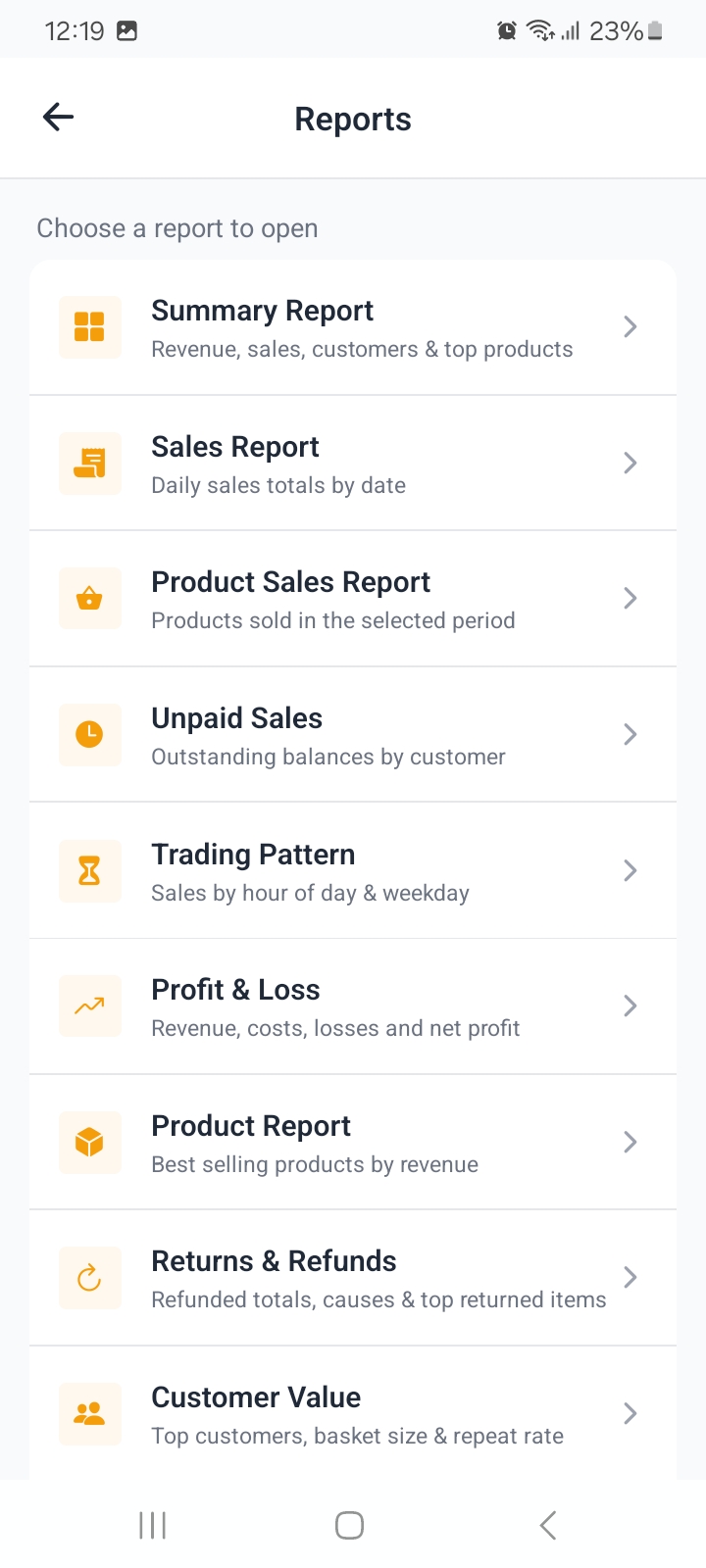
Open More, then Reports.
Reports are for owners and managers: cashiers do not see the menu item, so sales figures stay with the people who need them.
Pick a report from the list, set the period, and the figures, chart and table appear together. Tapping a chart point or a table row reveals the detail behind the number.
Setting the date range
| Range | Use it for |
|---|---|
| All Time | Lifetime totals. |
| Today | Trading so far today. |
| This Week | The current week. |
| This Month | The current month. |
| This Year | The current year. |
| Custom | Any two dates, for an accountant's request or a stock take. |
Every report respects the range, so switching to Custom and back is safe and re-reads the same data.
Which report answers what
Money in
| Report | The question it answers |
|---|---|
| Summary Report | How did the period go overall? |
| Sales Report | What did each day take? |
| Payment Mix | Cash versus mobile money versus card? |
| Payments by Staff | Who collected what? |
| Discounts Granted | How much did discounting cost me, by day and by staff? |
| Item Discounts | Which products were discounted, and by how much? |
What sold
| Report | The question it answers |
|---|---|
| Product Sales Report | Which items moved in this period? |
| Product Report | Which products earn the most? |
| Category Performance | Which category carries the business? |
What did not, and who owes
| Report | The question it answers |
|---|---|
| Unpaid Sales | Who still owes me? |
| Returns & Refunds | What came back, why, and who handled it? |
| Dead Stock | What is tying up cash on the shelf? |
| Wastage & Adjustments | What stock was written off, and why? |
| Low Stock Warning | What is about to run out? |
| Reorder List | What should I order, and how much? |
| Stock Count Accuracy | Where do counted and recorded quantities disagree? |
How the shop runs
| Report | The question it answers |
|---|---|
| Trading Pattern | Which hours and weekdays are busiest? |
| Profit & Loss | After costs, did I actually make money? |
| Customer Value | Who are my best customers, and do they come back? |
| Inventory Report | What is the stock worth, and what is out? |
| Outlet Comparison | How do my locations compare? |
| End Day Variances | Is the counted drawer matching what should be there? |
Which reports appear depends on your plan: every plan gets the summary, sales, product sales, unpaid sales and trading pattern reports, while the advanced, inventory and end day groups appear when your plan includes them.
Export and share
Every report can be exported from the report screen as a PDF or an Excel file. Once generated it opens in the normal Android share sheet, so you can send it to WhatsApp, email it, or save it to your files.
That is the usual way to get a period's numbers to a bookkeeper who is not in the app.
Reports only include what your role can already see, so exporting does not widen access.