What works with no connection
Plenty: the app is built to keep the till open when the network drops.
| Works offline | Waits for a connection |
|---|---|
| Cash sales | Creating or recovering an account |
| Reading your cached products and customers | Google sign in |
| Adding items to the cart | Payment confirmation for mobile money, card and bank transfer |
| Pay Later sales | Subscription and billing changes |
| Viewing sales saved on this device | Account deletion |
A weak signal is treated as a connection that may recover, so the app does not throw an error the moment a bar disappears.
What an offline sale looks like
Sales made offline are saved on the device first and marked in the Sales list with a small offline tag, so you can tell them apart at a glance.
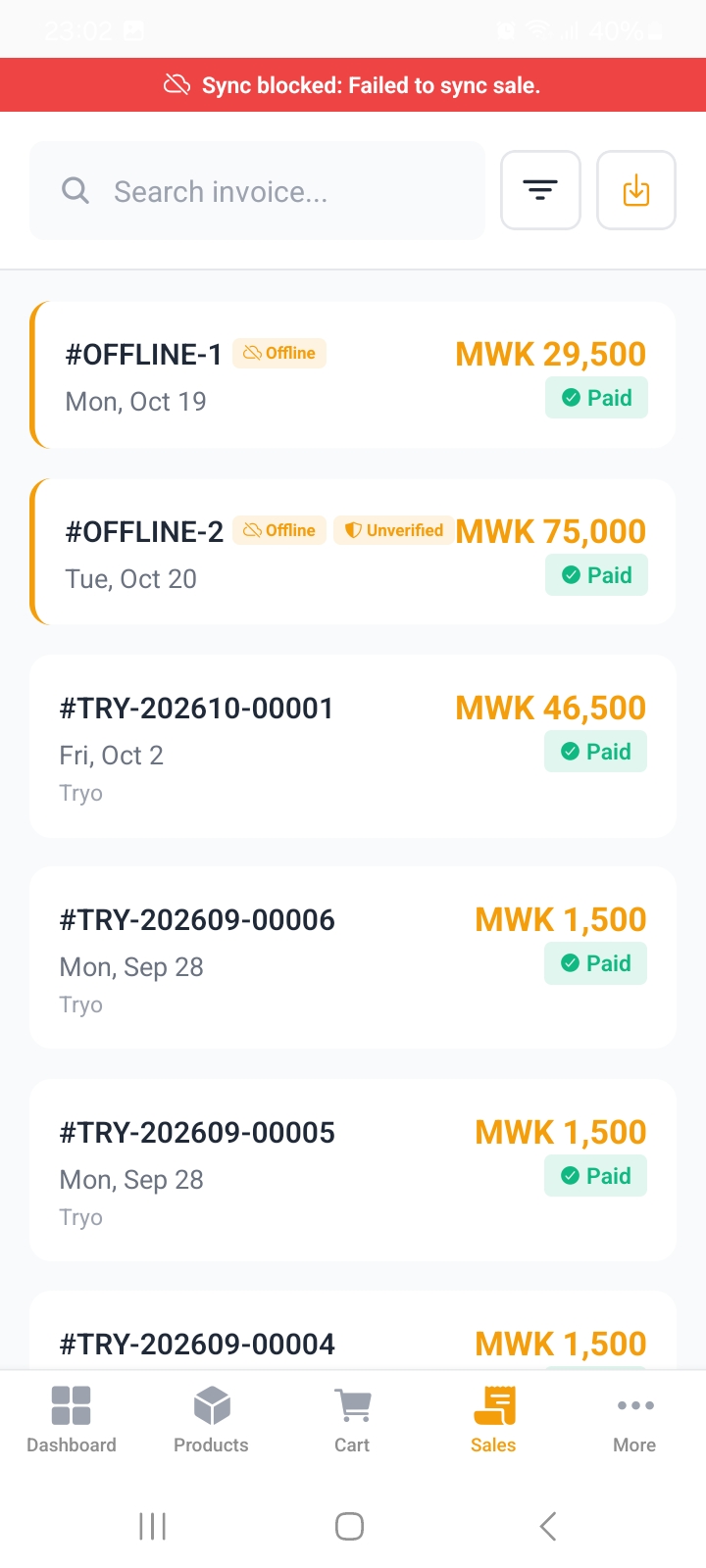
A sale waiting to upload
Open an offline sale to see its sync state. If the upload failed the tag turns red with a retry, and nothing has been lost: the sale is still on the phone waiting to go.
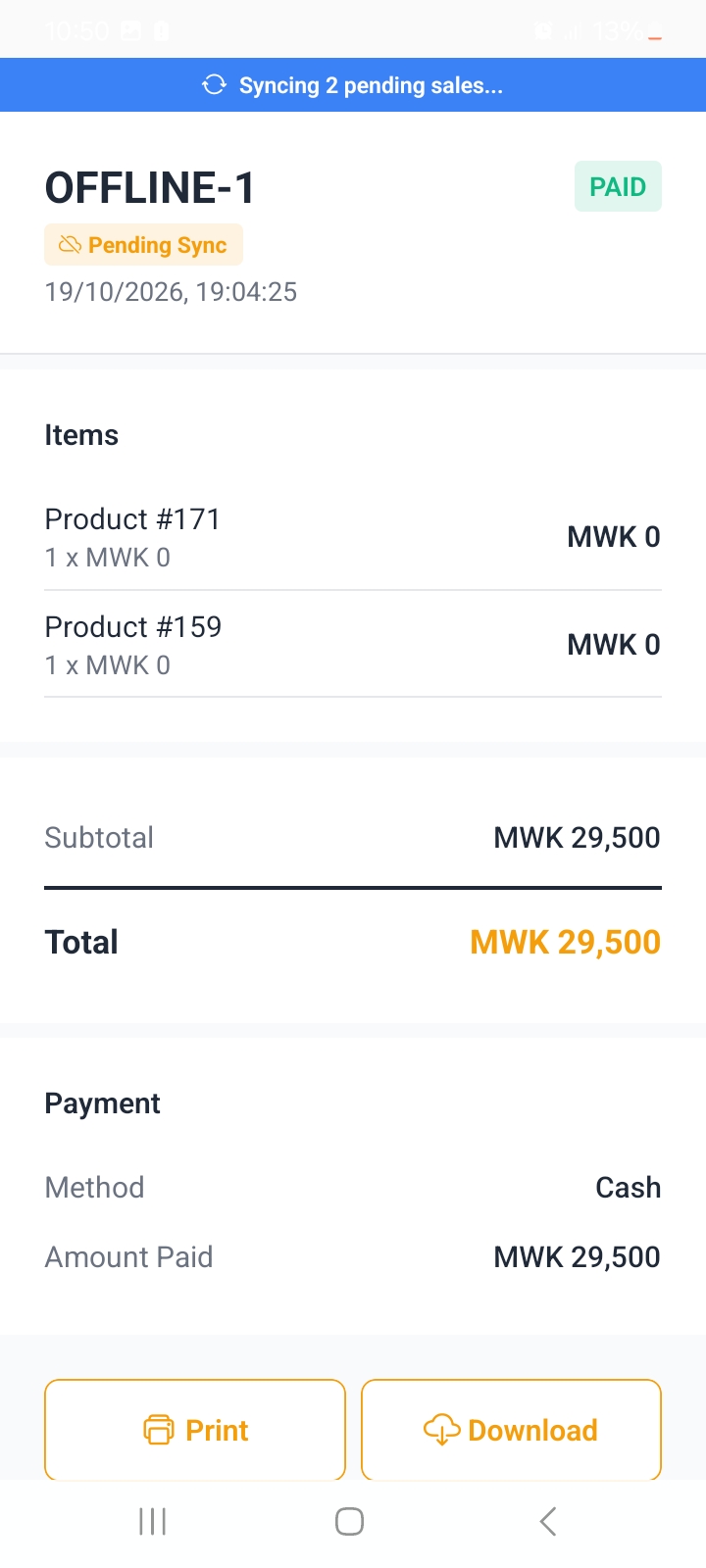
Checking the upload
Open More, then Status:
| Row | What it tells you |
|---|---|
| Online / Weak connection / Offline | The current state, with a one line explanation. |
| Sales waiting to upload | How many are still on the device. Zero means everything arrived. |
| Last sync attempt | When the app last tried. |
| Sync now | Force it now instead of waiting. Turns into Retry sync if the last attempt failed. |
Once the count is zero and the state is Online, those sales are on the server and appear in reports.
If something will not sync
- Open Status and read the message under Sync.
- Tap Retry sync.
- Still stuck? Note whether the state says Offline or Weak connection and move somewhere with a stronger signal, then try again.
Every sale carries its own unique key, so retrying is safe: a sale already on the server is recognised and never entered twice.
Sales that keep failing are listed in Status with the reason, so you can see whether it is the network or something that needs support.